

mobile
Information upon application
Thank you for considering applying for J:COM MOBILE.
We will guide you through the necessary preparations and procedures for applying online.
 Smartphone + SIM Card
SIM Card only Use a SIM card built into your smartphone (eSIM)
How to verify your identity
The identity verification method has changed from February 26, 2026.
Please note that a special app is required for identity verification.
Image upload method has been abolished
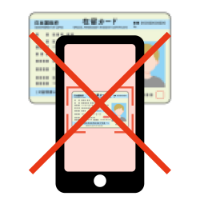
Supports two new methods
Those who know the PIN number
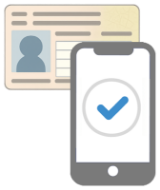
IC chip reader
Cards with IC chips
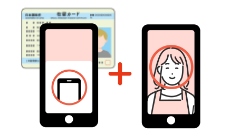
- IC chip reader
- Appearance photography
Download the app
It is necessary.
To verify your identity, you will need to download the "LIQUID Identity Verification Service" app.
Launch the app on the application screen and verify your identity by scanning your identification document with an IC chip.

"LIQUID Identity Verification Service" app
What you need
-
1
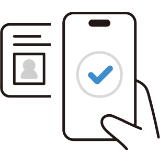
IC chip
Readable
smartphone -
2

Identification documents
Contractor's
(Not a user) -
3

Identity verification app
iPhone 7 and later devices and many Android smartphones can read IC chips (NFC).
Click here for a list of NFC smartphones that are compatible with My Number cards
You will be redirected to an external site (public personal authentication service).
my number card

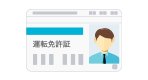
driver's license
Residence card
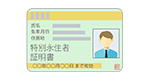
Special permanent resident certificate
After entering your PIN number on your smartphone, scan the IC chip on your My Number card.
- The document must include a photo of your face, your name, date of birth, and your current address, and must be valid.
- The back side of the card, which contains your "Individual Number (My Number)," is not required. In accordance with the Act on Prevention of Unauthorized Use of Mobile Phones, your application will be deemed incomplete.
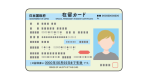
- My Number notification cards cannot be accepted as identification documents.
If you do not know your PIN, please scan the IC chip on your My Number card and then take a photo of your appearance.
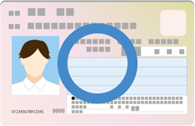
My number card [front]

My number card [back]

notification card
After entering your PIN number on your smartphone, scan the IC chip on your driver's license and take a photo of your appearance.
- The document must include a photo of your face, your name, date of birth, and your current address, and must be valid.
The PIN is the PIN you set when you acquired or updated your account.
Close
After entering the card number on your smartphone, scan the IC chip on your residence card and take a photo of your appearance.
- The document must include a photo of your face, your name, date of birth, and your current address, and must be valid.
The card number is the number printed on the top right corner of the front of the card.
Close
After entering the number on your smartphone, scan the IC chip on your special permanent resident certificate and take a photo of your appearance.
- The document must include a photo of your face, your name, date of birth, and your current address, and must be valid.
The card number is the number printed on the top right corner of the front of the card.
Close
To verify your identity, you will need to download the "LIQUID Identity Verification Service" app.
Launch the app on the application screen and scan your identification document with an IC chip to verify your identity.
Operating environment
It works in the following smartphone environment.
- iOS: 11 or later Safari latest 5 million pixels or more
- Android: 6.0 or later Chrome latest 5 million pixels or more
- It cannot be used when accessing from a PC or tablet.
- Not available when accessed from a smartphone's (native) in-app browser.
- Even if the above operating environment is satisfied, it may not work.
Things to check in advance
Check compatible devices
Please check the SIM Card compatibility checker to see if your current device is compatible with J:COM MOBILE and eSIM.
SIM unlock
To use J:COM MOBILE, you may need to unlock the SIM. For details, please see About SIM Unlocking.
MNP

MNP (Mobile Number Portability) is a system that allows you to continue using your phone number when changing mobile phone companies. If you wish to use MNP, please apply for MNP with your current mobile phone company and receive an "MNP reservation number."
- The validity period of the MNP reservation number is 15 days, including the date of issue of the reservation number.
- To apply for J:COM MOBILE, your MNP reservation number must be valid for at least 10 days.
Payment Methods
In principle, payment for J:COM MOBILE charges can only be made by credit card. Credit cards with the following mark are accepted.


It can be used to pay for products (terminals, etc.) and monthly usage charges. Matters related to the date of withdrawal from the credit card settlement account and payment are based on the membership agreement stipulated by the designated credit card company and the terms and conditions and special agreements stipulated by the Company. In principle, please specify a credit card in the name of the contractor.
Delivery
There is no delivery charge for both the terminal set and SIM only.
Days to delivery
If there are no issues with the contract, the product will be delivered in about a week. If you have purchased accessories, they will be delivered together.
Depending on the situation, shipping and delivery may be delayed.
About delivery address and receipt

We will deliver to the address you contracted.
If you do not receive the product (device, etc.) within 7 days after the estimated arrival date due to reasons such as absence, usage charges will be incurred from the 8th day including the estimated arrival date.
Application flow
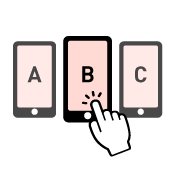
Please select the device, SIM, rate plan and options you wish to purchase.
Select the data plan option you wish to purchase.



Follow the on-screen instructions to enter your customer information.

Please select the document you would like to use to verify your identity.
The method of identity verification varies depending on the document.
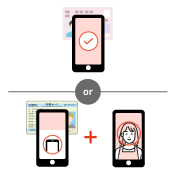
Using the "LIQUID Identity Verification Service" app, your identity will be verified by reading your IC chip-equipped identification document.

Please enter your payment information according to the on-screen instructions.
Payment is by credit card only.

It will be delivered to your contracted address in about a week.
After completing your application, you will receive an eSIM activation email. Follow the instructions in the URL in the email to complete the activation setup (profile download, etc.). For detailed activation instructions, please click here.
eSIM initial setup (starting with a new phone number)
eSIM initial settings (MNP)